
Powerful agents. Firm boundaries.
Agents that can change real systems need real controls. In MPLOI they are built in, on by default and enforced by the platform, never left to the AI's judgement.
Your data stays where you put it
MPLOI is an appliance you run, not a service you send data to. You decide which AI models it may call and which systems it may reach; nothing else leaves.
Self-hosted
- Installed on-premises, in your cloud subscription or air-gapped
- Conversations, files, memories and dashboards stored on your appliance
- No MPLOI cloud service is needed to run it
Models you choose
- Commercial providers only when you add them
- Self-hosted models (vLLM, NVIDIA NIM, TensorRT-LLM) keep every prompt inside your network
- Per-agent and per-chat control over which models may be used
Works offline
- Runs with no internet connection at all
- Licenses verified offline by signature, with no call home
- Upgrades installed from signed offline packages
Validated cryptography for everything MPLOI keeps
MPLOI protects its own data with a FIPS 140-3 validated cryptographic module, self-tested every time it starts. If the module fails to load or fails its tests, MPLOI does not start.
- Envelope encryption: every stored secret and credential has its own AES-256-GCM key, itself encrypted with the platform key
- Covered: stored secrets, the credential vault, data-masking stand-ins, backups, password hashing and the signing of sign-in tokens
- Passwords hashed with PBKDF2-SHA-256 and a unique salt
- Compatible: connections to your devices keep working with the algorithms those devices still use
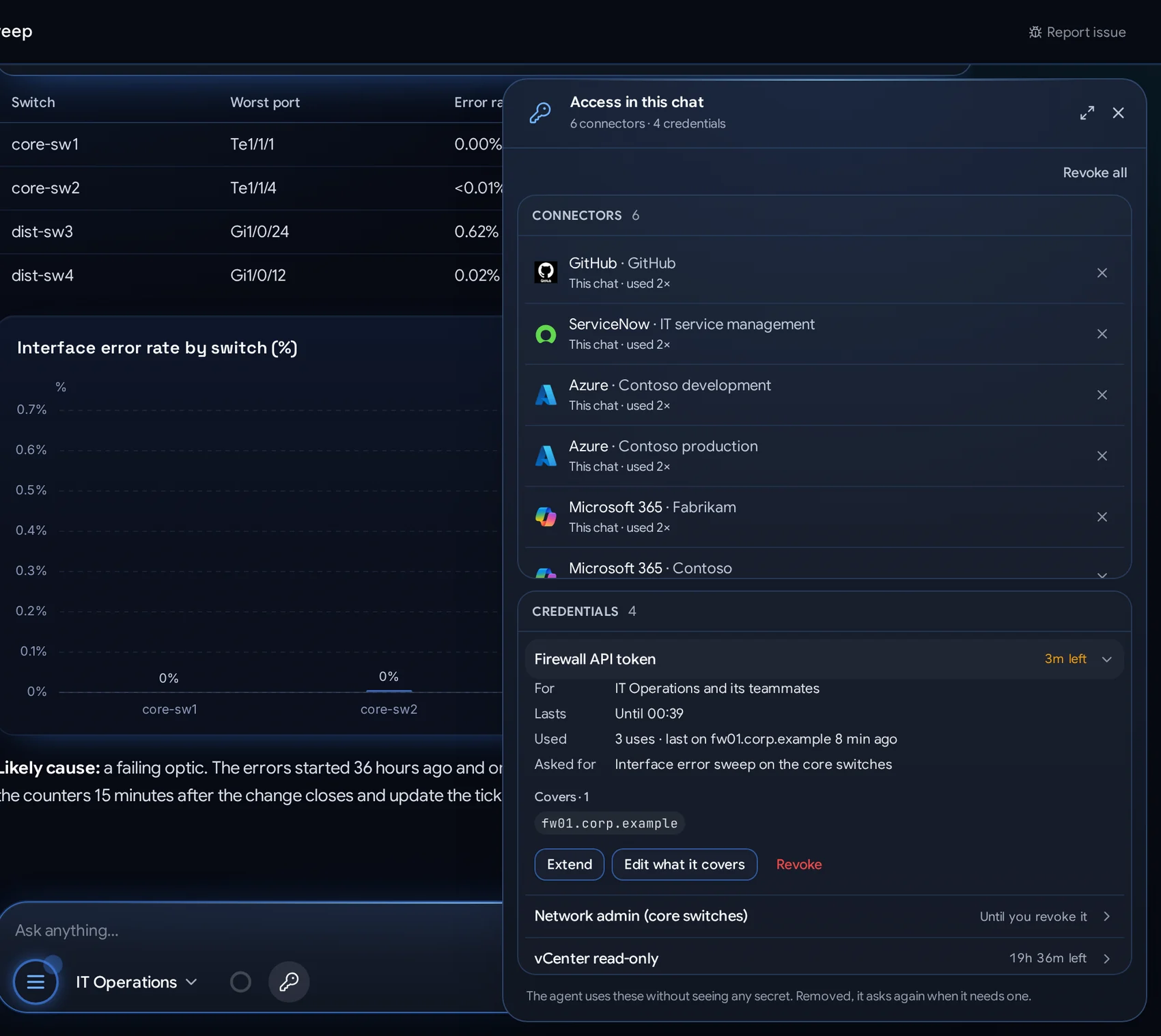
Access is asked for, scoped, timed and visible
An agent never holds a password. It asks for access in the chat; the person picks the credential, the hosts it covers and how long it lasts. The server fills the secret in at the moment of use.
- Personal: each person's credentials are their own; administrators cannot see them
- Write-only: a saved value is never shown again to anyone, only replaced
- Scoped to exact hosts or patterns (
*.corp.example,10.0.0.0/24) and to one chat, schedule, dashboard, API binding or Slack channel - Timed: one command only, 10 minutes, an hour, a day, a week, the rest of the session, or until revoked
- Shared chats: a chat owner's credentials work only for the owner's own messages
- Instant revoke: checked at every use, on every server, so a revoke holds at once
- Every use recorded: which host, when, and whether the sign-in worked
Every tool: on, off, read-only or behind an approval
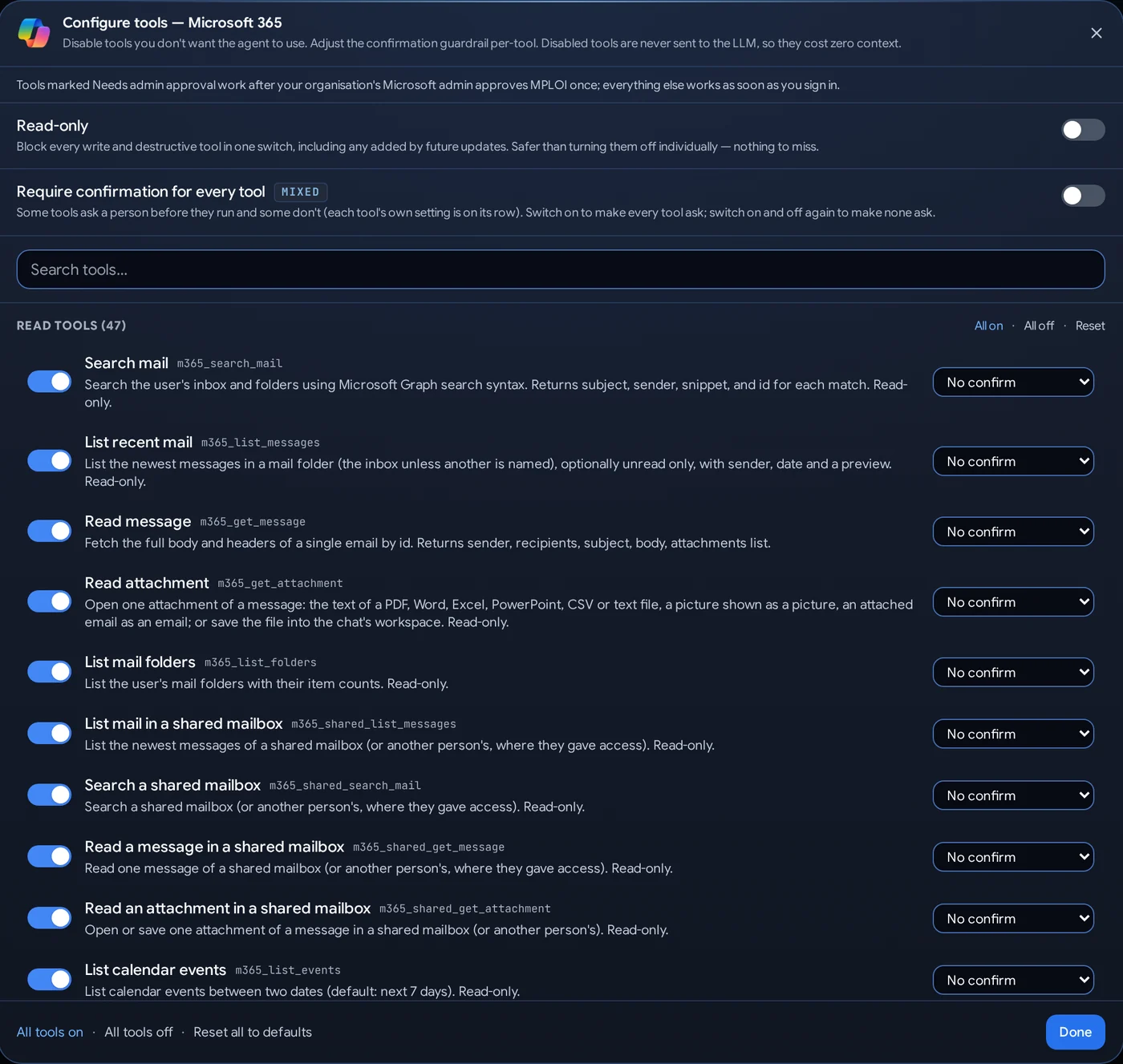
Administrators decide exactly what each agent may do, down to the single action, and whether people may skip confirmations at all.
- Per tool and per connector, with one switch to require confirmation for everything
- Read-only mode blocks every write and delete of a connector, including tools added later
- Approval cards show the exact action, device and arguments before anything runs, on the web or a phone
- Browser guardrails: submitting forms, payments, sending, uploading, signing in and deleting can each wait for a person
- Workspace limits: commands can require approval; code is pushed only to the chat's own branch, and branches are never deleted
- Admin-only permissions flagged, so an organisation's Microsoft administrator is never surprised
Sensitive values are hidden before any model sees them
Data-security policies run on everything sent to a model: prompts, files and tool results. What they find is hidden, and where it is safe, put back in the reply.
What it finds
- Personal data and national IDs of 28 countries
- Card and bank numbers, confirmed by their checksums
- Network addresses, device credentials, cloud and API keys
- Your own patterns, word lists and field names
How it hides it
- Mask with a token, put back in the reply
- Redact or show only the last 4 characters
- Hash to a stable fingerprint
- Fake: a realistic stand-in, or encrypt with the appliance key
How you control it
- Policies per agent, so each team gets the right rules
- A confidence threshold to tune false alarms
- Allow lists for values that must pass
- Custom rules run under a time limit, so a bad one cannot stall the system
The right people, the right agents
- Single sign-on with OpenID Connect: Microsoft Entra ID, Okta, Google or any compliant provider
- SCIM provisioning keeps users and groups in step with your directory
- Groups decide who may use each agent, tool and knowledge collection
- Connectors act as the person, with their own permissions in each service
- Agents with their own identity through Microsoft Entra Agent ID: each agent signs in to your Microsoft tenant as itself, on behalf of the person using it or with its own Microsoft 365 user, seen by Entra sign-in logs, Conditional Access and access reviews, and turned off there at once
- API tokens for automation, revocable at any time
Private by design
- Chats are private to the person unless they share them, as viewer or collaborator
- Memories belong to the person, who can review and remove them
- Workspaces: each person gets their own, separate from everyone else's
- Agents switch, access follows: moving a chat to another agent carries its access, and nothing else
Know exactly what happened, and why
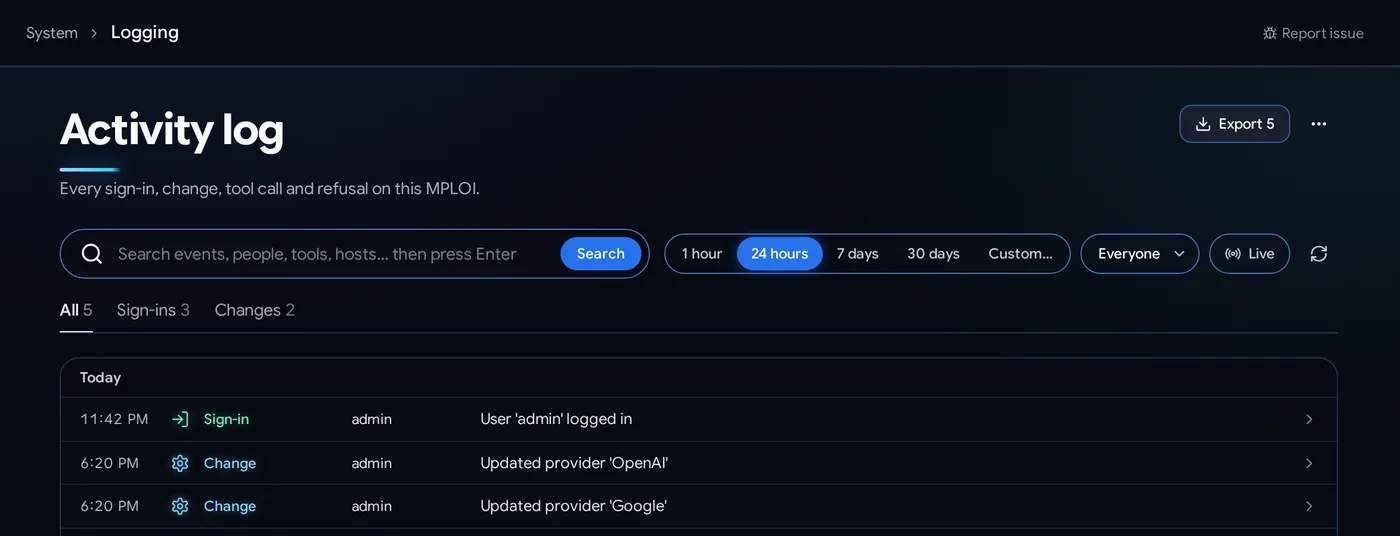
- Activity log of every sign-in, change, tool call and refusal, filterable and exportable
- In every chat, each tool call is shown with its input and result
- Backups and restore of the whole system
- Signed upgrades, online or offline, and a nightly license check that works without the internet
Need a security review?
We will walk your security team through the architecture, the controls and the security whitepaper in detail.